
How to Check Your GCE O Level Results: A Step-by-Step Guide
How to Check Your GCE O Level Results via SMS.
Type exam {exam code} {index number} and send to 1919 to obtain results through sms.
1. Dialog
EXAMS <Number> and send to 7777 from your Dialog Mobile
2. Mobitel
EXAMS <Number> and send to 8884 from your Mobitel Mobile
3. Airtel
EXAMS <Number> and Send to 7545 from your Airtel Mobile
4. Hutch
EXAMS <Number> and Send to 8888 from your Hutch Mobile.
TeachMore WhatsApp Group: Click Here
How to Check Your GCE O Level Results
Please follow the steps outlined below:
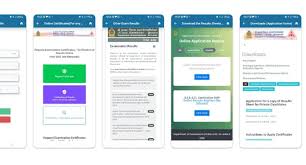
- Visit the official examination department website
- Select the ‘School Exam Results’ tab on the website.
- In the exam selection section, choose ‘GCE O/L ‘ as your exam type.
- Specify the year as ‘2023’ in the provided field.
- Enter your ‘index number in the relevant section.
- Complete the ‘I am human’ verification by selecting images that match the given description.
- Click the ‘submit button’ to view your exam results.
Result Release Date – Click Here
How to Check Your GCE O Level Results
Step-by-Step Guide to Check Results Online
To check your GCE O/L 2023 results online, please follow these steps:
1. Visit the [official examination department website](http://www.doenets.lk).
2. Select the ‘School Exam Results’ tab.
3. Choose ‘GCE O/L’ as your exam type.
4. Specify the year as ‘2023’.
5. Enter your ‘index number’.
6. Complete the ‘I am human’ verification.
7. Click the ‘submit’ button to view your exam results.
How to Check Your GCE O Level Results
– Official Portal: [www.doenets.lk](http://www.doenets.lk), [results.exams.gov.lk](http://www.results.exams.gov.lk)
– Contact: Department of Examination Sri Lanka, Pelawatta, Battaramulla, Sri Lanka.
– Email: exams@doenets.lk
– Hotline: 1919